NAS Guide

Network Attached Storage News and Reviews

  • Best NAS
  • NAS Pro Blog
  • NAS Buying Guide
You are here: Home / Archives for NAS

Raid 1 vs Raid 5 Cost Comparison

November 5, 2013

I did a cost comparison using current prices on Amazon to see what the difference in price is between a 4 bay NAS using two Raid 1 volumes and one Raid 5 volume. As you can see, going with Raid 1 arrays means about a 30% premium per terebyte.

These costs do not take into account the cost of the NAS enclosure itself which should add around $360 for the least expensive 4-bay Synology NAS.


Related:
WD Red 3TB NAS Hard Drive Review

Related posts:

  1. Another Western Digital Red NAS Hard Drive Review
  2. Western Digital Red vs Green Drives for a NAS (if no RAID)
  3. Low Cost NAS Boxes and Performance over Time
  4. “I think I might be cursed” thread – Too Many Hard Drive Failures

Filed Under: Raid 1 vs Raid 5 Tagged With: Hard disk drive, NAS, Standard RAID levels, Synology

Synology Goes After the Low-End Market with the All-New DS214se

November 5, 2013

Synology seems intent on grabbing the low-end part of the NAS market. It has introduced the low priced (MSRP around $160) DS214se two bay NAS. The NAS runs the full DSM software, but it obviously is lower in power and RAM running a single core 800 MHz processor with 256 GB of DDR3 RAM.

Synology claims that the new NAS will still achieve speeds when reading that will support multiple HD video streams:

Centering on the core features of NAS devices, Synology DS214se provides handy and effective network storage under budget. Not only does DS214se centralize and back up your digital contents, it makes cross-platform and cross-device sharing effortless. DS214se delivers an average over 58 MB/sec writing speed under RAID 1 configuration in a Windows® environment, and over 102 MB/sec reading.1 The built-in floating-point unit enhances the overall capability of the main CPU, and is particularly advantageous in speeding up thumbnail processing, making photo viewing a refreshingly new experience. Equipped with Synology’s full multimedia applications, DS214se is also an ideal solution for users looking for entertainment and download center, providing easy and energy-efficient download service as well as multimedia streaming capabilities. With Synology’s rich cloud applications, DS214se serves as your personal cloud whose content is available anywhere on demand.

http://www.synology.com/products/product.php?product_name=DS214se&lang=us#p_submenu


Related articles
  • Synology unleashes its most affordable 2-bay NAS ever, the DS214se for $160

Related posts:

  1. Synology DS214se Reviewed
  2. Another Quick Review of the Synology DS214se
  3. Synology DS214se NAS Review
  4. Synology Releases the One Bay DS112+ NAS

Filed Under: Synology Tagged With: NAS, Synology

Help Me Choose a NAS Forum Thread

November 2, 2013

I found another forum thread about choosing a NAS - this one over at stereo.net.au. The thread started almost a year ago, but still is receiving new posts. A sample post:

I currently own a Synology DS212j, which recently replaced a Netgear ReadyNAS duo.

Pros
Synology is, in my opinion, way better. Faster network performance. I could never reliably stream anything from the ReadyNAS, so it ended up just being a backup repository while I played music from a USB Drive attached directly to my PC.

Synology allows me to stream audio (and video) direct from the NAS. I don't use the built in streaming server in the Synology due to some issues with earlier versions. I use Jriver Media Centre.

Built in Torrent client in the Synology (If you are interested) is much nicer. With the ReadyNAS, the torrent client was...ummm... shall we say...basic. download the torrent file, then log into the ReadyNAS and locate the downloaded file and then the download starts. Also, the torrent client in the Synology is much better presented.

With the Synology, Map the Torrents folder on your PC ( A one off activity). Once this is done, you can simply download torrent files directly to the mapped folder and the Synology automatically starts the torrent download....easy!

The web interface for the synology is a pleasure to use. Nicely laid out and responsive.

Finally, the Synology is waaaayyy quieter than the ReadyNAS ever was.... You'd hardly know it was on when standing next to it.

Cons

Construction quality - ReadyNAS was much more sturdy feeling. Case was primarily Steel and felt well built. Synology is mostly plastic.

Hope this helps. Can't comment on any other brands because I've never used anything else....

http://www.stereo.net.au/forums/index.php?/topic/47086-nas-recommendation/

I like these kinds of posts since they relate experience of real users in the real world and are not just tests that are done in a few hours. Of course, Synology is my brand of choice also.

Related posts:

  1. Yet Another Help Me Find the Right NAS Forum Thread
  2. UnRaid vs FreeNAS Discussion Thread
  3. Zyxel NSA325 vs ReadyNAS Duo v2 Thread
  4. “I think I might be cursed” thread – Too Many Hard Drive Failures

Filed Under: Choose a NAS Tagged With: Backup, NAS, Synology

Thecus Has a New 2 Bay Raid 1 NAS – the N2310

October 28, 2013

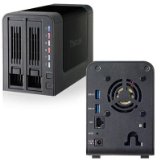
Thecus N2310This is the smallest Thecus NAS ever (as far as I can recall). The new NAS runs the full Thecus OS6 software that includes just about everything that a NAS can run including Plex media server. It includes a bitorrent client, FTP, RSYNC and just about the whole kitchen sink of NAS related software.

The new Thecus only sports a AMCC APM 86491 800 MHz SoC with 512 MB of DDR3 RAM, so don't expect super fast performance when transcoding video files. For normal file serving, this configuration should be fast enough, but reviews will be out soon that will tell the whole speed story. List price is only $159 which makes it the most affordable Thecus NAS yet and among the most affordable NAS from any manufacturer.


Related posts:

  1. Thecus N4200ECO 4 Bay NAS Review at Kitguru
  2. Thecus N4800 Review on Bjorn3D
  3. Thecus TopTower N6850 NAS Reviewed
  4. Thecus N5550 5-Bay NAS Review

Filed Under: Thecus NAS Tagged With: NAS, Plex Media Server, Thecus

Review of the Synology DS 1813+ NAS

October 27, 2013

The overclockers forum (AU) has a review of the Synology DS 1813+ NAS. This NAS comes with 8 hard drive bays and is compatible with Synology's DX513 expansion units (two.) With two expansion units, the NAS is capable of 72TB of storage. This is a massive amount of storage for a small business/home NAS unit, even if it is counting the expansion units in the total.

The DS 1813+ runs a dual core Intel D2700 processor and comes standard with 2 GB of RAM which is upgradeable to 4 GB of RAM. Again, this is at the high end of NAS devices both in processor and RAM.

As with all Synology NAS devices, the software is quite capable and has a number of add ons available including, for example Plex media server. Since the NAS has processor power to spare, Plex runs quite nicely even when transcoding video as long as you stay at 720p.

The conclusion of the review sums up the reviewer's thoughts:

I find this product would be very useful in the home or in a small office. It would be able to replace most common functions of a windows server. Low power and easy to use. Having 4 linked LAN ports will give more than enough bandwidth for most small business environments. Its list of connectivity to other devices and surveillance features makes it very flexible for people on the go. As a media centre hub and storage it can hold enough for most people. The only thing i would have liked is a more powerful processor for transcoding. Maybe next time.

http://forums.overclockers.com.au/showthread.php?t=1086470#post15396334


Related articles
  • Synology DS1813
  • Using Synology's SHR
  • Synology DS1813+ first look

Related posts:

  1. Synology DS1812+ Overview/Review at PC Pro
  2. Synology DS713+ NAS and DX213 Expansion Unit Review
  3. Synology DS1512+ Problems Reported
  4. Synology DS1512+ Review

Filed Under: Synology Tagged With: Intel, NAS, Plex, Synology, Synology NAS

Real World Drobo 5N Review

June 11, 2013

There is a nice real world Drobo 5N review from a user who is pleased with the new Drobo NAS device.  

A few examples of products:
DROBO DRDS4A21 5N 5 bay NAS storage array Gigabit Ethernet Network Desktop
  He is using the new Drobo with three 3TB Western Digital Red NAS hard drives. Speed was measured as very good:Overall, this is a recommended setup for someone who wants a plug and play NAS experience. Speed was measured as very good:

The progenitor of the Drobo 5N, the Drobo FS, was known for its sluggish performance, so I was concerned about how fast my files would move. It’s great to have loads of robust network disk space available, but it is even better if you don’t have to watch the progress bar creeping along at 2mb per second.

In my first day of use, I think I have a pretty good idea of how fast I can expect the device to work. I have been transferring files of all sizes up to 1G+ video files, and I saw an average transfer rate of around 40 80 to 100 megs per second.

Paperjammed

The Drobo 5N also performed admirably under load:

I tried experimenting with having HandBrake process video files from the Drobo  and store them back on the Drobo. It worked flawlessly. At the same time I did some heavy rsync operations to move the contents of the old 2-bay NAS onto the Drobo. Simultaneously, I was moving video files from the Drobo onto my Plex server. I think I have pretty much dogpiled the Drobo as much as I  can expect to happen in my home, and it didn’t even bog down.

Paperjammed

All in all - a nice review from a real user.

Related posts:

  1. Drobo 5D Review
  2. Drobo Mini Mini Review
  3. Review of Synology DS1812+ in real life
  4. Drobo Mini Review

Filed Under: Drobo Tagged With: Drobo, Drobo 5N, NAS

Drobo 5N Earns 4.2 Stars from Amazon Reviewers

May 10, 2013

The Drobo 5N, a 5 drive true NAS device from Drobo, is currently earning 4.2 stars from Amazon reviewers. This is one of the best ratings for NAS devices currently for sale on Amazon. It is also quite a comeback for Drobo after being somewhat slammed by reviews for the too-slow Drobo FS, the previous Drobo NAS device.

The Drobo 5N, like all Drobo devices, is designed for ease of use and setup. Reviewers are generally impressed with the new Drobo's fast response over a network and quick setup. One of the most detailed reviews includes these test results:

Blackmagic Speed Test (Using 3GB Test)
-----------------------------------------------

Reference Drive - WD My Passport 2TB (Connected over USB 3.0 to iMac)
- Write - 66.6 MB/s
- Read - 66.9 MB/s

Drobo 2nd Generation (Connected via FW800) - WD Green Drives
- Write - 36.3 MB/s
- Read - 33.4 MB/s

Drobo FS - WD Green Drives
- Write - 25.7 MB/s
- Read - 38.4 MB/s

Drobo 5N with Crucial m4 128GB SSD - WD Green Drives
- Write - 74.9 MB/s
- Read - 93.3 MB/s

Drobo 5D with Crucial m4 128GB SSD - WD Green Drives
Initial Setup Test
- Write - 111.5 MB/s
- Read - 95.8 MB/s

After 1 Week
- Write - 178.2 MB/s
- Read - 189.1 MB/s

Synology DS1512+ - WD Red Drives
- Write - 83.6 MB/s
- Read - 109.0 MB/s

Amazon review of the Drobo 5N

The reviewer thinks that the Drobo 5N is not really as fast as he thought it would be. However, these speeds are really quite fast, especially compared to the older (discontinued) Drobo FS. If I were in the market for a 5 drive NAS, the Drobo 5N would now be on my short list.

Head on over to Amazon to check the reviews.

Related posts:

  1. Drobo 5D Review
  2. A Year With the Drobo FS
  3. Drobo 5D: Not Exactly a NAS but Speedy Storage Using USB 3 or Thunderbolt
  4. Drobo Mini Review

Filed Under: NAS Tagged With: Drobo, DroboFS, NAS

Synology Network Printer Tutorial

February 8, 2013

One of the biggest benefits to going with a veteran producer of NAS devices such as Synology is that they recognize many of the problems that relative newcomers will have when using their products.

Synology in particular has a great set of tutorials available for many of their products' features, including this one on setting network printers up through their NAS devices.  These simple tutorials go through each necessary step, including screen shots of each so they can be used by just about anyone at any level of technical expertise.

While tutorials such as this won't necessarily be too much of a benefit to the more technically savvy NAS owner, there are still many people who no doubt appreciate the in-depth advice and step-by-step pictures that these sort of tutorials provide.

A few examples of products:
Synology DiskStation DS214SE 2 Bay NAS Server
Synology DiskStation Disk Station 1 Bay NAS DS109 DS 109
Synology DiskStation 2 Bay Diskless Network Attached Storage DS213air
Synology DiskStation DS212j NAS w 2 2TB Hard Drives
Synology DiskStation DS214se 2 bay NAS Network Server SATA RAID Personal Cloud
Synology DX513 5 bay NAS Expansion Unit
Synology DS414slim DiskStation NAS Server
Synology DiskStation DS214se 2 bay NAS Network Server SATA RAID Personal Cloud

Related posts:

  1. How to repair a volume on your DiskStation
  2. Synology CloudStation Blog Post
  3. Synology DiskStation 2-Bay (Diskless) Network Attached Storage DS213 Review
  4. Synology DS1512+ Problems Reported

Filed Under: Synology Tagged With: NAS, Synology

« Previous Page
Next Page »

Get Posts By Email

Delivered by FeedBurner

Recent Posts

  • WD My Cloud 4TB Personal Cloud Storage
  • Synology America DiskStation 1-Bay Network Attached Storage (DS115J)
  • QNAP TS-451 4-Bay Personal Cloud NAS Overview
  • QNAP TS-431 4-Bay NAS
  • WD Green vs Red Drives

NAS Pro

  • NAS Pro Home
  • Network Attached Storage Buying Guide
  • NAS Pro Blog

Categories

  • 4-Bay NAS
  • Akitio NAS
  • Amahi
  • Asustor
  • Backup
  • Best NAS
    • Best NAS 2014
  • Buffalo TeraStation
  • Build a NAS
  • Build or Buy a NAS
  • Choose a NAS
  • Cloud Storage
  • D-Link NAS
  • Drobo
  • FlexRAID
  • FreeNAS
  • Guides
  • Hard Drives
  • HP Microserver
  • Iomega
  • iSCSI
  • LaCie
  • NAS
  • NAS4Free
  • Netgear
  • Openmediavault
  • Pogoplug
  • QNAP
  • Raid 1 vs Raid 5
  • Reviews
  • Seagate
  • Shuttle NAS
  • Synology
  • Terra Master
  • Thecus NAS
  • Turnkey Linux NAS
  • Ubuntu Server
  • unRAID
  • Western Digital Hard Drives
  • Western Digital NAS
  • Windows 8
  • Windows Home Server
  • Windows Home Server 2011
  • ZFS File System
  • Zyxel

Tags

Amahi Backup BSD Build a NAS CrashPlan DiskStation Drobo Drobo Mini DS1512+ DSM FlexRAID FreeBSD FreeNAS Gigabit Ethernet Hard disk drive Intel Atom Iomega Linux Media Server Microsoft Windows NAS NAS Reviews Netgear Network-attached storage Openmediavault Plex QNAP QNAP NAS RAID Reviews Seagate Synology Synology NAS Thecus Thecus NAS Ubuntu Unraid USB USB 3.0 Western Digital Windows 8 Windows Home Server Windows Home Server 2011 XBMC ZFS

Home    Privacy Policy    Contact Us    Earnings Disclosure    Sitemap   
Copyright © 2008-2015, NAS Guide, All Rights Reserved
NAS Guide
MENU
  • Best NAS
  • NAS Pro Blog
  • NAS Buying Guide