NAS Guide

Network Attached Storage News and Reviews

  • Best NAS
  • NAS Pro Blog
  • NAS Buying Guide
You are here: Home / Archives for NAS

FlexRAID Forum Threads

January 2, 2013

It seems like there are a lot of DIY raid software solutions coming out lately, such as UnRAID and SnapRAID.  Trying to pick the right one can be difficult sometimes, so it helps to get a general sounding from the community, especially those who have tried a lot of different options.

With that in mind, a couple of FlexRAID threads recently came to my attention.  The first comes from the AVS Forums, a site focused on home theater management.  Unsurprisingly the thread focuses on media sharing.

There might not be a lot there for people looking to use RAID for something other than a smaller personal network, but for those who are interested in just setting up a RAID NAS for personal use.

The other thread comes from empegbbs.com, and seems more focused on answering whether FlexRAID is worth the cost involved.
Related posts:

  1. Flexraid vs Unraid vs Snapraid
  2. Pooled File Server with Redundancy: FlexRAID or unRAID?
  3. Windows based NAS using Flexraid
  4. FlexRAID Up to Version 2 (and No Longer Free)

Filed Under: Build a NAS, Cloud Storage, FlexRAID Tagged With: FlexRAID, NAS, RAID

Synology CloudStation Blog Post

December 29, 2012

A brief post was added recently on OnlineBackupReviews.org regarding using the built-in Synology CloudStation software to set up an off-site storage solution accessible by various users.

Unlike a lot of cloud storage solutions, a privately owned cloud system though something like CloudStation would be able to avoid fees based on usage and capacity, though the downside would be that whoever runs the storage would require a certain level of technical know-how that some small business owners might not possess.

The Synology DiskStation with the extra service Cloud Station allows us to easily manage users and grant or revoke rights for freelance that don’t work for us anymore. We can determine exactly, who sees what in our network and file sharing is very easy.

As multiple people work on the same files a good file synchronization service is needed that manages file conflicts well (when to people accidentally edit the same document).

Of course the Synology is not the only NAS that offers these features, there are a couple of alternatives out there, for example QNAP.

OnlineBackupReviews.org

A few examples of products:
Synology DiskStation DS414 NAS Server
Synology America Rack Station 4 Bay Network Attached Storage RS815
Synology Disk Station DS207 2 bay NAS
Synology Diskstation DS413 NAS no drives
Synology DiskStation DS214play 2 Bay NAS Server no hard drives included
Synology DiskStation DS214se 2 bay NAS Network Server SATA RAID Personal Cloud

Related posts:

  1. Synology Cloud Station Mac Support
  2. FreeNAS Server Blog Post
  3. Synology Goes After the Low-End Market with the All-New DS214se
  4. Synology DS1512+ Problems Reported

Filed Under: Synology Tagged With: Cloudstation, NAS, Synology

FreeNAS Server Blog Post

December 28, 2012

Joe over at High On Solder, a site focused on electronic and photography projects, recently wrote up his experience setting up a FreeNAS server to serve as a local backup solution for his personal data.  As the name might indicate, FreeNAS is an open-source storage platform aiming to make sharing easy between Windows, Apple, and UNIX-based systems.

Instead of going through the available documentation from FreeNAS, Joe opted to follow a brief tutorial over at Engadget.  This was probably a pretty good idea, since often freeware documentation can make the unfortunate assumption that the reader has a fairly strong background in whatever technical area that the average user just might not possess.

Joe ran into a couple of issues, most notably regarding permissions and RSYNC stuff, but overall he seems pretty pleased with FreeNAS in general.

Now that I have my permissions and RSYNC issues resolved, I am very pleased with my FreeNAS server. With the fan speeds set low it is very quiet and over a week of use it had an average power usage of 47 Watts. File transfer speeds are also pretty good over my newly installed Gigabit network. FreeNAS is a versatile platform and I look forward to learning more about it in the future.

High On Solder

For more information on Joe's FreeNAS experience and a lot of other interesting electronics-related projects, check out Joe's blog at High On Solder.

Related posts:

  1. Blog Testing FreeNAS Performance
  2. Switching from FreeNAS to Ubuntu Server
  3. FreeNas Remote Backups
  4. Comprehensive Guide To Setting Up Your FreeNAS Server To Access Your Files From Anywhere

Filed Under: NAS Tagged With: DIY NAS, FreeNAS, NAS

Thecus N5550 Review

December 27, 2012

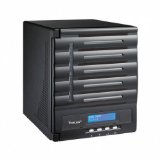
Thecus N5550

As great as they think the TS-869 is, they seem even more fond of the N5550.  According to them, it might just be the best value on the market today, helping them arrive at their final rating of 94%.

Now that we've established the Thecus N5550 as the best value on the market today let's take it a step further. For some the processor speed may still be an issue. In our benchmark charts today we compared the N5550 to the QNAP TS-869 Pro, a NAS that costs $1048 and runs eight drives. The Thecus N5550 ran with the TS-869 Pro and even outperformed that NAS in many tests. Thecus managed to do this with its programming / software and turning it into an efficient system. When you have efficiency you have more clock cycles free so your system runs faster, it's not much different than optimizing your desktop for performance by disabling all of the Windows features, services and such that suck up CPU cycles. If you are good with Linux I'm sure you could go in and do the same thing on any number of NAS units, but Thecus' software already has the magic configuration right out of the box.

TweakTown

Related posts:

  1. Thecus N5550 Review
  2. Thecus N5550 5-Bay NAS Review
  3. Thecus N4200ECO 4 Bay NAS Review at Kitguru
  4. Thecus Has a New 2 Bay Raid 1 NAS – the N2310

Filed Under: Reviews, Thecus NAS Tagged With: NAS, Thecus

Thecus N7510 Review

December 26, 2012

SmallNetBuilder has recently put out a fairly comprehensive look at the Thecus N7510, a seven bay NAS by Thecus.  The review goes into quite a bit of detail on the N7510, including detailed performance tests and comparisons:

I tested the N7510 with 2.03.08.cdv firmware, using our NAS test process with RAID 0, 5 and 10 volumes. As is our standard practice, four drives were configured in each volume type.

Windows File Copy tests show read throughput running 10 - 15 MB/s lower than write for all tested RAID modes. Highest write throughput measured was 107 MB/s for RAID 0 and highest read was 90 MB/s also in RAID 0.

...

Network backup to a DeltaCopy target on our NAS Testbed system measured around 37 MB/s. For comparison, best network backup measured to date has been 44 MB/s with a NETGEAR ReadyNAS Pro 2.

SmallNetBuilder

Overall, SmallNetBuilder seems pretty happy with the performance of the N7510, though they don't necessarily agree with the advertising calling the device "The World's First High-Value 7-Bay NAS":

Although its performance is pretty good, I don't see the "high" value. According to Pricegrabber, the 7510's pricing currently ranges from $722 to $903. The next step up in 7 bay NASes is the Intel Core 2 Duo powered N7700PRO that sells for between $789 and $1042.

Since the 7700PRO was tested with my previous process, I don't have any data to directly compare. But unless Thecus has really screwed up, it should perform better or equal to the 7510, comes with twice as much RAM and supports an optional 10 GbE adapter. I'd say either one is a pretty good value in a seven-bay NAS.

SmallNetBuilder

A few examples of products:
NEW Thecus N7510 Network Storage Server

Related posts:

  1. Thecus N5550 Review
  2. Thecus N5550 Review
  3. Thecus N4800 NAS Reviewed
  4. Thecus N4800 Review on Bjorn3D

Filed Under: Reviews, Thecus NAS Tagged With: NAS, Reviews, Thecus

Western Digital Sentinel DX4000 NAS Review

December 25, 2012

XBitLabs recently released a fairly comprehensive review of the Western Digital Sentinel DX4000 NAS, a 4-bay NAS made by Western Digital, primarily known as a hard drive manufacturer.

XBitLabs put the Sentinel through its paces, including a speed test as part of their coverage:

The peak read and write speed are 100 and 80 MB/s. The external disk is comparable in performance to the dual-disk RAID1. Compared to other NASes with similar hardware, the Sentinel DX400 is somewhat slower than average.

XBitLabs

Overall, XBitLabs appear to think that the Sentinel is a decent but not necessarily incredible NAS device.  The main thing that seemed to really throw them off was the use of Windows Storage Server 2008 R2 Essentials as the software basis for the NAS:

The fact that it’s Windows is good in itself as this may be necessary for some usage scenarios. It’s got a handy backup system for Windows clients and an interesting remote access feature. However, this version of Windows is rather difficult for non-specialists to manage. The default firmware doesn’t provide many popular capabilities such as FTP server, UPS support, multiple disk volumes, iSCSI, extended backup copy options, notifications, and mobile apps. Of course, many of these features can be implemented in Windows, but you need desktop access and full-featured OS administration. It’s unclear how the standard WSS environment will react to new applications, though.

XBitLabs

A few examples of products:

Related posts:

  1. Western Digital Sentinel DX4000 Review
  2. WD Sentinel DX4000 Review
  3. Western Digital Red NAS Drives – Worth the Price Difference?
  4. Another Western Digital Red NAS Hard Drive Review

Filed Under: NAS, Reviews, Western Digital NAS Tagged With: NAS, Sentinel, Western Digital

Drobo 5D Review

December 18, 2012

PopPhoto.com has a review of the Drobo 5D, a five bay RAID external storage device. This Drobo device is not a NAS, but it can perform similar functions if connected to a computer on a home network.

Since PopPhoto is a site centered around photography, the review is slanted toward what a photographer might need and the technical knowledge someone not necessarily in a technology field might possess.

Overall the review had a favorable wrapup for the main selling points of the Drobo 5D, namely speed and security, but also pointed out some negative issues in data recovery and pricing:

The 5D is ultimately an expensive tool that does what it is designed to do—provide fast access to mission-critical, redundant data, and lots of it—extremely well. But it’s not a one-stop backup solution; Drobo’s proprietary tech makes salvaging your data without Drobo hardware an impossible task. Drobo representatives even recommend backing up the data on the 5D on a separate external drive for added security. We would go so far as to recommend additional backup off-site, using a cloud service like Amazon Glacier or Mozy. But, you should really have something like that anyway.

If you’re a photographer with an editing station, and you can afford it, you’re unlikely to find a simpler, more effective tool to store your photos.

PopPhoto

Related posts:

  1. Follow up to I’M Done With Drobo Article – My Life After Drobo
  2. Real World Drobo 5N Review
  3. Drobo Mini Review
  4. Drobo Mini Mini Review

Filed Under: Drobo, NAS, Reviews Tagged With: Drobo, NAS, RAID

WD Red 3TB NAS Hard Drive Review

December 12, 2012

Legit Storage Reviews has done a comprehensive review of the Western Digital 3 TB Red NAS drive. The reason for the NAS drives for use in a NAS:

Anyone that has ever built a NAS before knows that buying hard drives and running them in RAID can be tricky, so WD has been working with NAS box manufacturers to make sure the WD Red series is compatible and that they are optimized for both power and performance.

Legit Reviews

Some of the features of the Red drives:

The WD Red series costs a bit more, but has a number of firmware and hardware features that make it different from a traditional desktop hard drive. For example, you have less aggressive head parking (no IntelliPark), a configurable Time Limited Error Recovery (TLER), with a default of 7 seconds, optimized IntelliPower disk rotation speeds, and a vibration reduction mechanism. On top of all that you get a 3-Yr. warranty with free 24x7 phone support if you need it. WD even has a dedicated support line for WD Red customers (1-855-55-WDRED), which is pretty impressive.

Legit Reviews

Overall, the review is very positive - here is a bit from the conclusion section

The Western Digital Red series was designed for NAS servers and it leaves us wondering why no one did this before! Industry analysts believe that the NAS market will greatly expand in the years to come and WD now has a product to fill the void that was present.

Legit Reviews

These are my top recommended hard drives for NAS servers today. I use them in my Synology NAS.

Related posts:

  1. Another Western Digital Red NAS Hard Drive Review
  2. Western Digital Red Drives for NAS Servers
  3. Western Digital Red NAS Drives – Worth the Price Difference?
  4. Western Digital Red Drives for NAS Devices Reviewed

Filed Under: Western Digital Hard Drives Tagged With: NAS, RAID, Western Digital

« Previous Page
Next Page »

Get Posts By Email

Delivered by FeedBurner

Recent Posts

  • WD My Cloud 4TB Personal Cloud Storage
  • Synology America DiskStation 1-Bay Network Attached Storage (DS115J)
  • QNAP TS-451 4-Bay Personal Cloud NAS Overview
  • QNAP TS-431 4-Bay NAS
  • WD Green vs Red Drives

NAS Pro

  • NAS Pro Home
  • Network Attached Storage Buying Guide
  • NAS Pro Blog

Categories

  • 4-Bay NAS
  • Akitio NAS
  • Amahi
  • Asustor
  • Backup
  • Best NAS
    • Best NAS 2014
  • Buffalo TeraStation
  • Build a NAS
  • Build or Buy a NAS
  • Choose a NAS
  • Cloud Storage
  • D-Link NAS
  • Drobo
  • FlexRAID
  • FreeNAS
  • Guides
  • Hard Drives
  • HP Microserver
  • Iomega
  • iSCSI
  • LaCie
  • NAS
  • NAS4Free
  • Netgear
  • Openmediavault
  • Pogoplug
  • QNAP
  • Raid 1 vs Raid 5
  • Reviews
  • Seagate
  • Shuttle NAS
  • Synology
  • Terra Master
  • Thecus NAS
  • Turnkey Linux NAS
  • Ubuntu Server
  • unRAID
  • Western Digital Hard Drives
  • Western Digital NAS
  • Windows 8
  • Windows Home Server
  • Windows Home Server 2011
  • ZFS File System
  • Zyxel

Tags

Amahi Backup BSD Build a NAS CrashPlan DiskStation Drobo Drobo Mini DS1512+ DSM FlexRAID FreeBSD FreeNAS Gigabit Ethernet Hard disk drive Intel Atom Iomega Linux Media Server Microsoft Windows NAS NAS Reviews Netgear Network-attached storage Openmediavault Plex QNAP QNAP NAS RAID Reviews Seagate Synology Synology NAS Thecus Thecus NAS Ubuntu Unraid USB USB 3.0 Western Digital Windows 8 Windows Home Server Windows Home Server 2011 XBMC ZFS

Home    Privacy Policy    Contact Us    Earnings Disclosure    Sitemap   
Copyright © 2008-2015, NAS Guide, All Rights Reserved
NAS Guide
MENU
  • Best NAS
  • NAS Pro Blog
  • NAS Buying Guide