NAS Guide

Network Attached Storage News and Reviews

  • Best NAS
  • NAS Pro Blog
  • NAS Buying Guide
You are here: Home / Archives for Synology

Synology DSM 5.0 Beta

November 1, 2013

Synology is going to reveal a new version of its operation system (Diskstation Manager) 5.0 (at least a beta version) in January in London. No word from Synology as to what DSM 5 holds in store, but if you follow the link below, you can register to be among the first to know on January 16th in London!

http://www.synology.com/events/2014_dsm5.0_beta_uk.php?lang=uk
Here are some details about the dsm 5.0 beta.

Related posts:

  1. Synology Has Released a Security Fix for Its DSM 4.0 Software
  2. Openmediavault Software NAS – Beta .03 Available
  3. Synology Releases the One Bay DS112+ NAS
  4. Openmediavault 0.3.0.7 Beta Available

Filed Under: Synology Tagged With: Diskstation Manager, DSM-5, Synology

Roll your own Synology DiskStation for NAS Do it Yourself

October 30, 2013

Over at the AVSforum, there is an interesting thread that includes instructions and a download link to allow you to turn a computer into a NAS using a version of Synology's diskstation software. The thread is eleven pages long and has many interesting posts. Overall, this approach does not seem feasible for any but advanced computer users. But, if you are interested in experimenting with NAS distributions, this is another approach:

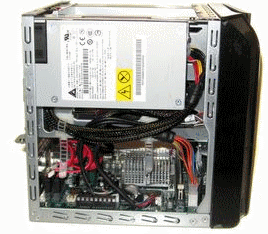
 Synology made NASs are one of the more popular home appliances available. Some models are ARM based others Intel_x86. However most are considered pricey especially when there are opensource alternatives readily available that accomplish what the QNAPs/Synology of the world do if not better. The files below will allow you to install Synology's OS, called DSM, onto a regular PC so long as the your hardware is supported. I also provided VMware and VirtualBox images if you dont have a PC lying around to test with but would still like to see whats its like 5-side-view-case-opento run a Synology DiskStation in your home environment. Again, to install on 'real' hardware please make sure your hardware/nic/sata/scsi chipset is listed below or IT WONT WORK. The virtual image will run on top of either VMWareWorkstation/ESXi or VirtualBox on any hardware you may have.

http://www.avsforum.com/t/1460222/how-to-roll-your-own-synology-diskstation-for-nas-update-5-28-2013-dsm-4-2-3211

Related articles
  • Synology introduces new, faster SOHO NAS w/ hot-swappable drives for $330
  • Review of the Synology DS 1813+ NAS

Related posts:

  1. Synology DiskStation DS1812+ Review
  2. Synology DiskStation DS712+ Review
  3. Synology DiskStation DS213 Review
  4. Synology 2013 DiskStation DS213 and DS213+ Priced and Released

Filed Under: Build a NAS, Synology Tagged With: Build or Buy a Pre-Built NAS, DSM, Synology

Review of the Synology DS 1813+ NAS

October 27, 2013

The overclockers forum (AU) has a review of the Synology DS 1813+ NAS. This NAS comes with 8 hard drive bays and is compatible with Synology's DX513 expansion units (two.) With two expansion units, the NAS is capable of 72TB of storage. This is a massive amount of storage for a small business/home NAS unit, even if it is counting the expansion units in the total.

The DS 1813+ runs a dual core Intel D2700 processor and comes standard with 2 GB of RAM which is upgradeable to 4 GB of RAM. Again, this is at the high end of NAS devices both in processor and RAM.

As with all Synology NAS devices, the software is quite capable and has a number of add ons available including, for example Plex media server. Since the NAS has processor power to spare, Plex runs quite nicely even when transcoding video as long as you stay at 720p.

The conclusion of the review sums up the reviewer's thoughts:

I find this product would be very useful in the home or in a small office. It would be able to replace most common functions of a windows server. Low power and easy to use. Having 4 linked LAN ports will give more than enough bandwidth for most small business environments. Its list of connectivity to other devices and surveillance features makes it very flexible for people on the go. As a media centre hub and storage it can hold enough for most people. The only thing i would have liked is a more powerful processor for transcoding. Maybe next time.

http://forums.overclockers.com.au/showthread.php?t=1086470#post15396334


Related articles
  • Synology DS1813
  • Using Synology's SHR
  • Synology DS1813+ first look

Related posts:

  1. Synology DS1812+ Overview/Review at PC Pro
  2. Synology DS713+ NAS and DX213 Expansion Unit Review
  3. Synology DS1512+ Problems Reported
  4. Synology DS1512+ Review

Filed Under: Synology Tagged With: Intel, NAS, Plex, Synology, Synology NAS

Synology DS1512+ Review

March 20, 2013

Digital Photography School.com has released a review of the Synology DS 1512+, a 5-bay NAS device intended primarily for use by small and medium businesses.

As Digital Photography School has a slightly different reader base than more NAS (or even technology) based sites, so a high focus is placed on ease of use and relative simplicity of installation, which the DPS reviewer found very simple.  From the review:

The Synology was so simple to setup, yes, I have an IT background but here’s what I did to set the unit up and connect to it… Plugged it in to the power, plugged in one of the provided network cables and put that in a free network port on the back of my Airport Extreme… and, err, turned it on… That was about it! I’ve since upgraded the operating system (DSM) which is a very simple and quick task. I’ve installed the virus software on the box which is an app and manages itself. There is also a great support forum, lots and lots of enthusiastic users etc.

Digital Photography School

Overall, Digital Photography School was very positive about the DS1512+, indicating that it might be a good NAS to recommend to people with relatively low technical knowledge just based off its simple setup alone.

Related posts:

  1. Synology DS1512+ Problems Reported
  2. Update on Synology DS1512+ and DS1812+ Problems Reported
  3. Synology Diskstation DS1512+ NAS Review on Techspot
  4. Synology DS1512+ Review

Filed Under: Reviews, Synology Tagged With: DS1512+, Synology

Synology Network Printer Tutorial

February 8, 2013

One of the biggest benefits to going with a veteran producer of NAS devices such as Synology is that they recognize many of the problems that relative newcomers will have when using their products.

Synology in particular has a great set of tutorials available for many of their products' features, including this one on setting network printers up through their NAS devices.  These simple tutorials go through each necessary step, including screen shots of each so they can be used by just about anyone at any level of technical expertise.

While tutorials such as this won't necessarily be too much of a benefit to the more technically savvy NAS owner, there are still many people who no doubt appreciate the in-depth advice and step-by-step pictures that these sort of tutorials provide.

A few examples of products:
Synology DiskStation DS414 NAS Server
Synology America Rack Station 4 Bay Network Attached Storage RS815
Synology DS213J with Two 2TB Hard Drives 2Bay Diskless NAS Server
Synology Disk Station DS207 2 bay NAS
Synology DiskStation DS214play 2 Bay NAS Server no hard drives included
Synology DiskStation DS214se 2 bay NAS Network Server SATA RAID Personal Cloud
Synology DS1815+ DiskStation 8 Bay Network Attached Storage

Related posts:

  1. How to repair a volume on your DiskStation
  2. Synology CloudStation Blog Post
  3. Synology DiskStation 2-Bay (Diskless) Network Attached Storage DS213 Review
  4. Synology DS1512+ Problems Reported

Filed Under: Synology Tagged With: NAS, Synology

Synology DiskStation DS213 Review

January 24, 2013

TestFreaks recently put up a review of the Synology DiskStation DS213, a two bay NAS device intended primarily for small business use.  The TestFreaks review is quite comprehensive, including unboxing and unit detail photos as well as software screenshots.  The performance benchmarks against other Synology products are particularly useful, so if you're looking to replace your own aging Synology hardware you might want to the TestFreaks review there to take a look.

According to TestFreaks, Synology appears to have created another high quality (albeit expensive) NAS device:  From their conclusion:

Performance wise it improves on its predecessors in terms of speed. What helps separate it from other NAS boxes is the DSM 4.1 interface. Synology has made an easy to use yet powerful GUI that most anyone who has used a Windows, Linux or OS X machine can easily pick up. The Package Center allows the DiskStation DS213 to be tailored to suit the user whether for home or business. Plus, the DS213 uses share-level AES 256-bit encryption, which in the past was only available on Enterprise level servers.

I have yet to come away from a Synology product disappointed and the DiskStation DS21 continues this trend. Its price is the only factor that may scare off potential buyers; although research will show that similarly featured NAS devices will be in the same price range and the feature set of this unit make it a worthwhile investment.

TestFreaks

Related posts:

  1. Synology 2013 DiskStation DS213 and DS213+ Priced and Released
  2. Synology DS213+ Review
  3. Synology DiskStation 2-Bay (Diskless) Network Attached Storage DS213 Review
  4. Synology DiskStation DS712+ Review

Filed Under: Reviews, Synology Tagged With: DS213+, NAS, Synology

Synology DS213+ Review

January 18, 2013

SmallNetBuilder recently released a review for the Synology DS213+, a two bay NAS device intended for use in a home or possibly small home office environment.  SmallNetBuilder breaks down their review in a quick summary leading up:

Summary High performance value-priced two-bay NAS based on dual-core Freescale QorIQ CPU
Pros • High Performance for a non-Atom NAS
• Quiet
• Fast attached backup via eSATA
Cons • Mostly plastic construction

SmallNetBuilder.com

Though there are cheaper and higher quality NAS devices out there, according to the benchmarks provided by SmallNetBuilder, Synology NAS devices are pretty competitive in either category, offering a decent compromise between performance and price.  According to SmallNetBuilder:

Once again, the results show that Synology has made a crafty choice of CPU with the dual-core Freescale QorIQ P1022. But this time, the price gap between its pricing and an Atom-based equivalent isn't as wide as it was with the DS413. A diskless D525 Atom-based Iomega px2-300d can be currently had for as little at $428, while the DS213+ will run you $400.

SmallNetBuilder.com

Related posts:

  1. Synology DiskStation DS213 Review
  2. Synology 2013 DiskStation DS213 and DS213+ Priced and Released
  3. Synology DS413 Reviewed
  4. Synology DiskStation 2-Bay (Diskless) Network Attached Storage DS213 Review

Filed Under: Reviews, Synology Tagged With: DS213+, Reviews, Synology

Synology DS413j NAS Review

January 15, 2013

Madshrimps.be recently posted a review of the Synology DS413j NAS, a budget-oriented 4 bay NAS intended for home or small office use.

Overall, Madshrimps seem to like the DS413j most for its value, not necessarily any overwhelming technical merits that it might have in the speed department:

The DS413j is a more budget-oriented NAS solution from Synology and can be had for about 150 Euros less than the DS413 which means 300 Euros. Synology is one of the top builders for this kind of solutions, but the decrease in price does not also mean lower quality materials. The product is built around an older chassis design, with two silent 80mm fans and the opening is now in the back.

To install each drive, we can easily remove each tray, use the included screws for securing the drive onto the bay, and then slide it back in. For additional security, we can also fix the trays to the chassis with the supplied screws. Thanks to the number of bays, we can install up to 4-4TB HDDs for receiving a total of 16TB storage space, more than enough for homes and small businesses.

The NAS operates with the latest DSM 4.1 version, which is really easy to use, as we have also seen with the other products from them. The OS is frequently updated by the manufacturer to ensure full stability and for features enhancement.

Regarding the NAS performances, there is a noticeable difference in speed between the DS413j and DS413. When writing a single large file to the NAS, we get speeds nearing 45MB/s but when reading the same file, we get close speeds to 100MB/s.

Madshrimps.be


Related posts:

  1. Synology DS413 Reviewed
  2. Synology RackStation RS3412xs Review
  3. Synology Diskstation DS1512+ NAS Review on Techspot
  4. Synology DS713+ NAS and DX213 Expansion Unit Review

Filed Under: Reviews, Synology Tagged With: DS413j, NAS, Synology

« Previous Page
Next Page »

Get Posts By Email

Delivered by FeedBurner

Recent Posts

  • WD My Cloud 4TB Personal Cloud Storage
  • Synology America DiskStation 1-Bay Network Attached Storage (DS115J)
  • QNAP TS-451 4-Bay Personal Cloud NAS Overview
  • QNAP TS-431 4-Bay NAS
  • WD Green vs Red Drives

NAS Pro

  • NAS Pro Home
  • Network Attached Storage Buying Guide
  • NAS Pro Blog

Categories

  • 4-Bay NAS
  • Akitio NAS
  • Amahi
  • Asustor
  • Backup
  • Best NAS
    • Best NAS 2014
  • Buffalo TeraStation
  • Build a NAS
  • Build or Buy a NAS
  • Choose a NAS
  • Cloud Storage
  • D-Link NAS
  • Drobo
  • FlexRAID
  • FreeNAS
  • Guides
  • Hard Drives
  • HP Microserver
  • Iomega
  • iSCSI
  • LaCie
  • NAS
  • NAS4Free
  • Netgear
  • Openmediavault
  • Pogoplug
  • QNAP
  • Raid 1 vs Raid 5
  • Reviews
  • Seagate
  • Shuttle NAS
  • Synology
  • Terra Master
  • Thecus NAS
  • Turnkey Linux NAS
  • Ubuntu Server
  • unRAID
  • Western Digital Hard Drives
  • Western Digital NAS
  • Windows 8
  • Windows Home Server
  • Windows Home Server 2011
  • ZFS File System
  • Zyxel

Tags

Amahi Backup BSD Build a NAS CrashPlan DiskStation Drobo Drobo Mini DS1512+ DSM FlexRAID FreeBSD FreeNAS Gigabit Ethernet Hard disk drive Intel Atom Iomega Linux Media Server Microsoft Windows NAS NAS Reviews Netgear Network-attached storage Openmediavault Plex QNAP QNAP NAS RAID Reviews Seagate Synology Synology NAS Thecus Thecus NAS Ubuntu Unraid USB USB 3.0 Western Digital Windows 8 Windows Home Server Windows Home Server 2011 XBMC ZFS

Home    Privacy Policy    Contact Us    Earnings Disclosure    Sitemap   
Copyright © 2008-2015, NAS Guide, All Rights Reserved
NAS Guide
MENU
  • Best NAS
  • NAS Pro Blog
  • NAS Buying Guide