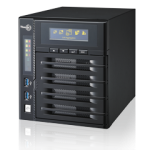
The QNAP TS-431 is a network storage center that you can use to set up an entertainment center, file backup center, or remote access center either at home or at your place of work. This low/mid-price NAS server also allows sharing of files between various connected devices such as smartphones, tablets, desktop PCs, and laptops. With that in mind, here is an overview of the QNAP TS-431 network attached storage device:
Design and Construction
Design and construction of the QNAP TS-431 is hinged on an advanced ARM Cortex-A9 dual core 1.2 GHz processor. It is worth noting that this processor comes with an embedded hardware encryption engine. This is in addition to 512 DDR3 RAM and 512MB flash memory. The ARM processor takes care of rendering 2D and 3D graphics via its embedded graphics processing units. This processing power makes it easy to transfer large files at high speeds provided one installs a dual-band 2.4GHz/5GHz 802.11n Wi-Fi USB adapter or uses a wired ethernet connection.
Dimensions
While you may expect a powerful NAS server such as this to be large, the reality is this is an incredibly small server. It measures 6.97 × 7.09 × 9.25 inches making it ideal for home or small office use.
Size of the Machine
Once again, this small NAS server has a net weight of 3 kg and a gross weight of 4.3 kg.
Number of Hard Drive Bays
The TS-431 comes with four hard drive bays, which are locked in place via a lever mechanism. However, the manufacturer’s package does not come with hard drives. You would have to purchase compatible hard drives and insert them into these bays. It is worth noting that you do not have to install all four drives at once. You can start with one or two and install others whenever needed later.
Expandability
This NAS server is built with expandability in mind. It comes with various ports such as three USB 3.0 ports, one eSATA port, and two Gigabit RJ-45 Ethernet LAN ports. One USB port is located at the front while two are located at the rear. The eSATA port is located at the rear.
Software Features
QNAP TS-431 comes with an embedded Linux operating system. It supports various operating systems such Apple Mac OS X onward, Windows 7 and Windows Server 2003 onward, UNIX, and Linux. This means browsers such as Apple’s Safari, Google’s Chrome, Mozilla’s Firefox, and Microsoft’s IE 10+ are compatible with this NAS server. It also supports various iOS and Android mobile apps such as Qfile, Qmusic, Qget, Qremote, and Vmobile.
Speed
The QNAP TS-431 has read and write speeds of up to 110 MB/s and 80 MB/s, respectively.
Additional Features and Specifications
Desirable extra features and specifications include web-based file manager with HTTPS 2048-bit encryption, network access protection with auto-blocking, importable SSL certificate, surveillance stations that support more than 2,700 IP cameras, VPN server, DLNA server, graphical web-based editor for taking notes, and myQNAPcloud service.
Pros
Firstly, this is an affordable product. Secondly, it is a quality product. Thirdly, it has tons of features that IT buffs and administrators will find useful. For example, it supports multiple port-trunking modes as well as media streaming via DLNA. Fourthly, it supports RAID across all four hard drive bays.
Consumer Ratings
Most consumers seem to be happy with the performance, quality, design, and reliability of the QNAP TS-431 NAS server. Nevertheless, some consumers feel that setting up the server can be a bit tricky, especially for people who are unfamiliar with it.
Price
Prices vary from one retailer to the next. In general, prices range from $289 to $463. The good news is majority of online retailers such as newegg and Amazon offer free shipping.
Conclusion
If you are looking for an affordable NAS server for use at home or at your workplace, the QNAP TS-431 is a good choice. It is powered by an ARM Cortex-A9 dual core processor. It supports Windows, Mac, and Linux operating systems.
[AMAZONPRODUCTS asin="B00O3Y7E2G"]
| QNAP Turbo NAS TS 431 4 Bay NAS Server w Freescale Cortex A9 512MB RAM |
| NEW QNAP TS 431U US Turbo NAS TS 431U 1GB 4 bay 1U iSCSI Hot TS431UUS |
| QNAP Turbo NAS TS 431U 4 Bay NAS Server w Freescale Cortex A9 1GB RAM |
| QNAP TS 431 4 bay Personal Cloud NAS with PLEX DLNA and Mobile Apps Support |
| NEW QNAP TS 431 Turbo NAS Server 512MB 4 bay Personal Cloud TS431 |
| NEW QNAP TS 431 4 Bay Home and SOHO NAS CLOUD Server w 16TB 4x4TB NAS Drives |